If you are running a Shopify store in Egypt or selling digital services to Egyptian customers, you’ve likely noticed a 14% VAT charge on your Shopify invoices. Navigating Egyptian tax laws can be complex, but understanding how VAT applies to your “tools” (like Shopify) is key to protecting your margins.
1. What is the “Shopify VAT” in Egypt?
The Egyptian Tax Authority (ETA) requires non-resident digital service providers (like Shopify, Meta, and Google) to collect a 14% Value Added Tax (VAT) on services provided to consumers in Egypt.
This means Shopify must add 14% to your monthly subscription and app fees unless you prove you are a registered business.
2. How to Exempt Your Store from VAT Charges
The good news? If your business is already registered for VAT in Egypt, you shouldn’t be paying this 14% on your Shopify bill. Shopify allows for an exemption through the Reverse Charge Mechanism.
To stop Shopify from charging you VAT, follow these steps:
Obtain your TRN: Ensure you have a valid Tax Registration Number (TRN) from the ETA.
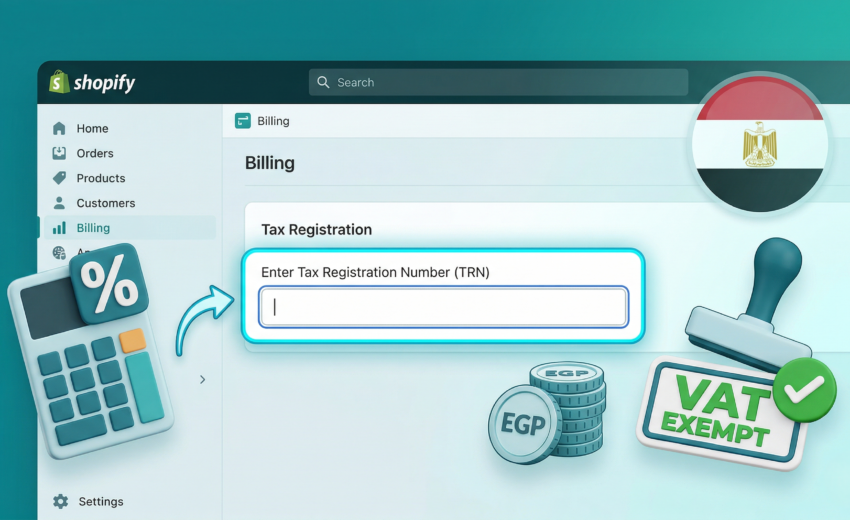
Access Shopify Admin: Go to Settings > Billing.
Tax Registration: Look for the Tax Registration section (or “Tax ID”).
Enter Details: Enter your 14-digit TRN and your Unique Identification Number (UIN).
Verify: Once Shopify validates this, they will stop adding the 14% tax to your future invoices.
Conclusion
Tax compliance doesn’t have to be a headache. By registering your TRN in your Shopify settings, you immediately save 14% on your overhead costs.